Windows XP Windows 7 Windows 2003 Windows Vista Windows 綜合教學 Linux 系統教學
Windows 10 Windows 8 Windows 2008 Windows NT Windows Server 電腦軟體教學
您现在的位置: Windows教程網 >> Windows教程 >  >> Linux 系統教學 >> 關於 Linux

Lubuntu 使用 Docky 提示合成錯誤解決:啟用 xcompmgr 合成管理器

編輯:關於 Linux

Lubuntu (LXDE) 使用 Docky 時若未啟用合成管理器,會報「需要合成功能」錯誤,導致 3D 背景、自動隱藏等特效無法使用。解決方法:安裝 xcompmgr 並加入 LXSession 自動啟動。

錯誤現象

Docky 設定視窗顯示:「需要合成功能才能使用 3D 背景、自動隱藏等特效」。
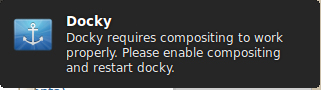
Docky 合成錯誤截圖

解決步驟

  1. 安裝 xcompmgr:
sudo apt-get install xcompmgr
  1. 開啟 LXSession 設定:
# 選單 → 偏好設定 → Default applications for LXSession
# 或終端執行:
lxsession-default-apps
  1. 切換到 Autostart (自動啟動) 分頁。
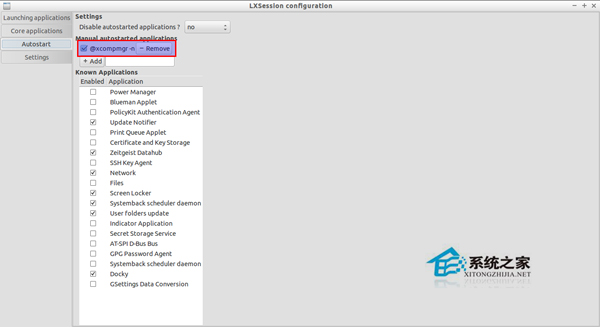
  2. 在 + Add 輸入框輸入:@xcompmgr -n(含 @ 符號)。
  3. 點擊 Add 按鈕。

LXSession 自動啟動設定截圖

  1. 登出/重啟系統。

驗證效果

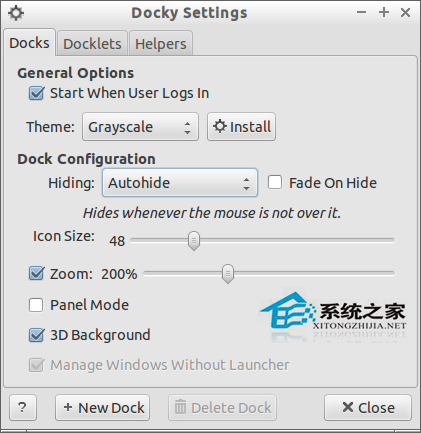
重新開啟 Docky 設定,合成錯誤消失,可啟用:

  • 3D 背景
  • 自動隱藏
  • Intellihide
  • 視窗閃爍

合成啟用後 Docky 設定截圖

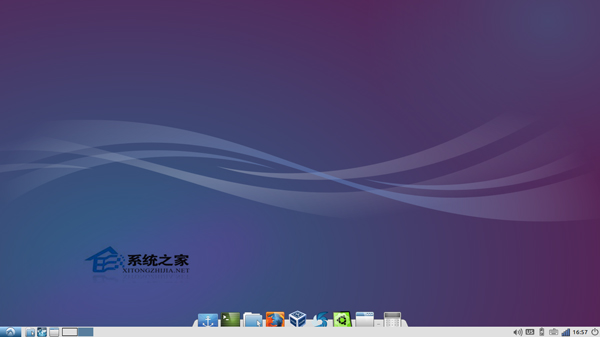
Docky 特效展示截圖

補充說明

  • xcompmgr 是輕量級 X 合成管理器,適合 LXDE/XFCE 等輕量桌面。
  • GNOME/KDE 內建合成器,無需額外安裝。
  • 若效能不足,可嘗試 compton (較新、效能更好) 或關部分鈈果。
  • Docky 3.0 安裝:sudo add-apt-repository ppa:noobslab/apps && sudo apt-get update && sudo apt-get install docky (Ubuntu 14.04+)。

Copyright © Windows教程網 All Rights Reserved