YouCompleteMe (YCM) 是 Vim 最強大的語義級程式碼補全引擎,需 Vim 支援 Python 3 + Clangd。本文從 Vim 編譯參數、Vundle 外掛管理、YCM 安裝編譯、Clangd 语言伺服器設定、常見報錯排查五階段完整呈現。
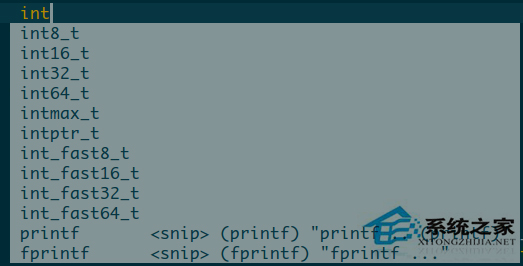
# 編譯參數 (已安裝 python3-devel)
./configure --with-features=huge \
            --enable-python3interp \
            --enable-multibyte \
            --enable-terminal \
            --prefix=/usr/local
make && sudo make install
# 驗證
vim --version | grep +python3
git clone https://github.com/VundleVim/Vundle.vim.git ~/.vim/bundle/Vundle.vim
set nocompatible
filetype off
set rtp+=~/.vim/bundle/Vundle.vim
call vundle#begin()

Plugin 'VundleVim/Vundle.vim'
Plugin 'ycm-core/YouCompleteMe'

call vundle#end()
filetype plugin indent on
vim +PluginInstall +qall
cd ~/.vim/bundle/YouCompleteMe
# 安裝 Clangd 語義補全 (需 CMake, Python3, Ninja)
python3 install.py --clangd-completer
# 僅需一般語言補全
# python3 install.py --all
# 參考 YCM 文檔生成,或使用 bear 編譯產生 compile_commands.json
# bear -- make
# cp compile_commands.json .ycm_extra_conf.py (簡化)
E319: Sorry, the command is not available → Vim 未支援 Python 3,重新編譯。Clangd not found → 安裝 clangd (套件管理器) 或 YCM 內建。:YcmDebugInfo、:messages、確認 filetype 正確。lsp-server:輕量級 LSP 客戶端。完成上述流程,Vim 即擁有媲美 IDE 的語義補全、跳轉定義、錯誤診斷能力。