複製檔案至系統目錄(如 /usr)提示 Permission denied。
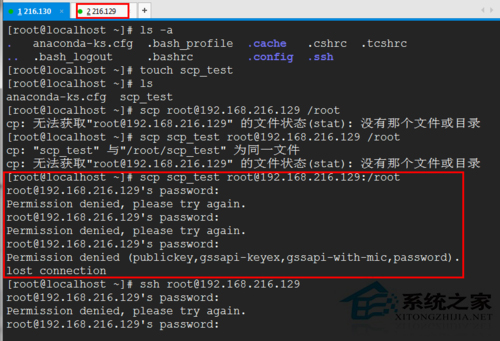
sudo chmod -R 777 /usr-R 遞歸,777 全權限,安全風險極高。
sudo passwd → 輸入兩次新密碼。su root 輸入密碼。正規途徑啟用 root 並切換身分,比暴力修改權限更安全、更符合 Linux 管理慣例。
Ubuntu 關機卡住無法關機解決方案:GRUB 參數 acpi=force
Linux 環境變數配置檔完整解析:系統級 vs 使用者級、載入順序、修改生效
RedHat fdisk 無法使用全部分區空間?改用 parted 擴展 LVM 根分區實戰
Linux 用戶態進程死循環排查實戰:從 R 狀態 100% CPU 到 GDB 定位業務邏輯缺陷
Linux strace 系統呼叫追蹤實戰指南:參數、輸出解讀與除錯案例
Ubuntu 安裝遊戲 Battle for Wesnoth (韋諾之戰) 1.12 從源碼編譯完整步驟