root 擁有最高權限,卻偶爾無法刪除普通檔案,提示 Operation not permitted。罪魁禍首通常是檔案被設定 不可變屬性 (immutable attribute)。本文示範如何檢查與移除。
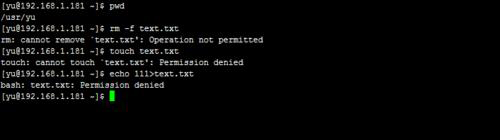
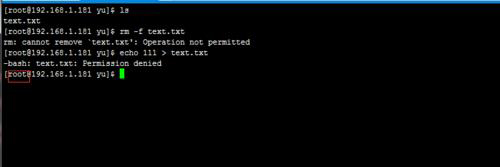
lsattr 檔案名,若輸出含 i 字樣,表示設定了不可變屬性。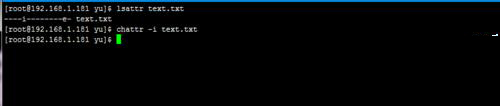
chattr -i 檔案名 取消不可變屬性。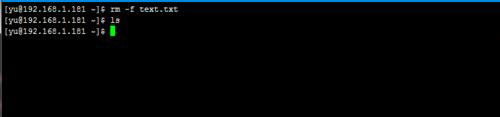
chattr +i 可保護關鍵系統檔案防誤刪,chattr -i 則解除保護。善用此機制兼顧安全與靈活。
RedHat yum 提示 Unable to read consumer identity?改用 CentOS 鏡像源免註冊安裝軟體
Linux 磁碟讀寫效能測試實戰:dd、fio、hdparm 與真實負載模擬
Linux xlsfonts 命令參數詳解:列出 X Server 可用字體
CentOS 一鍵安裝 PPTP VPN 服務腳本與 OpenVZ 環境注意事項
Ubuntu 12.04 安裝 Xen 常見問題彙總:GRUB2 啟動順序、Hypervisor 找不到、內核參數調整
CentOS 系統配置 Yum 源完整教程(以 163/網易源為例)