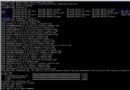
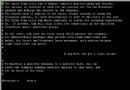
RedHat 未註冊訂閱時 yum 會報 Unable to read consumer identity,因官方源需 consumer ID 驗證。解法:備份 /etc/yum.repos.d/rhel-source.repo,新建指向網易 (163) CentOS 6.3 鏡像源的 .repo 檔 (base, updates, extras, centosplus),yum update 即可正常安裝。CentOS 由 RHEL 原始碼重編譯,二進制相容性極高,免費無需註冊。無需移除原 yum,直接切換源即可。
[base]
name=CentOS-$releasever - Base
baseurl=https://mirrors.163.com/centos/6.3/os/$basearch/
gpgcheck=1
gpgkey=https://mirrors.163.com/centos/RPM-GPG-KEY-CentOS-6

[updates]
name=CentOS-$releasever - Updates
baseurl=https://mirrors.163.com/centos/6.3/updates/$basearch/
gpgcheck=1
gpgkey=https://mirrors.163.com/centos/RPM-GPG-KEY-CentOS-6

[extras]
name=CentOS-$releasever - Extras
baseurl=https://mirrors.163.com/centos/6.3/extras/$basearch/
gpgcheck=1
gpgkey=https://mirrors.163.com/centos/RPM-GPG-KEY-CentOS-6

[centosplus]
name=CentOS-$releasever - Plus
baseurl=https://mirrors.163.com/centos/6.3/centosplus/$basearch/
gpgcheck=1
enabled=0
gpgkey=https://mirrors.163.com/centos/RPM-GPG-KEY-CentOS-6
切換至國內 CentOS 鏡像源,不僅解決註冊問題,下載速度也大幅提升,是未訂閱 RedHat 使用者的最佳選擇。
Apache HTTP Server 與 Tomcat 應用伺服器:定位差異、整合優勢與獨立運作模式
Docker 自訂映像檔建立完整教學:Tar 打包基礎映像與 Scratch 空白映像兩大方法實戰
scp 跨伺服器安全複製實戰:參數全表、壓縮/限速/指定金鑰/批次模式、與 rsync 效能對比
修復 Ubuntu apt-get 提示 Unable to locate package 錯誤只需執行 apt-get update
Linux vi 編輯器 E325 ATTENTION 交換檔衝突解決:識別衝突來源、恢復內容、清理 .swp 檔案