PPTP VPN 成本低、部署快,適合企業遠程接入。本文介紹 CentOS 下一鍵安裝腳本使用方法,並針對 OpenVZ 虛擬化環境給出關鍵檢查項目。
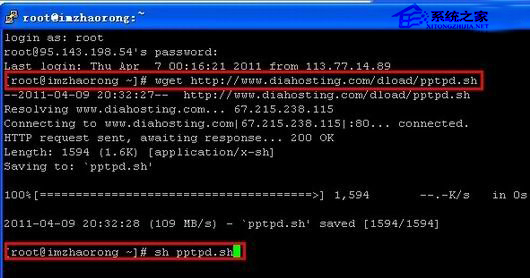
wget https://d.xker.com/2014/pptpd.sh
# 備選:https://www.zrblog.net/sh/pptpd.shsh pptpd.sh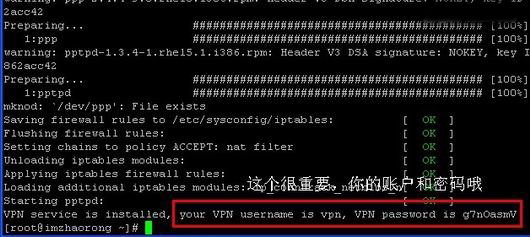
執行安裝前必須確認 VPS 支援 TUN/TAP 與 PPP 模組:
cat /dev/net/tun
# 返回 "File descriptor in bad state" 表示正常

cat /dev/ppp
# 返回 "No such device or address" 表示正常/etc/ppp/chap-secrets 新增用戶 (格式同預設)。/etc/ppp/options.pptpd 註釋 require-mppe-128,客戶端設定「可選加密」。/etc/init.d/pptpd restart/etc/ppp,嘗試關閉 yum fastestmirror 插件:編輯 /etc/yum/pluginconf.d/fastestmirror.conf 設 enabled=0。此方法僅適用 CentOS,其他發行版可參考原理調整。