Windows XP Windows 7 Windows 2003 Windows Vista Windows 綜合教學 Linux 系統教學
Windows 10 Windows 8 Windows 2008 Windows NT Windows Server 電腦軟體教學

Windows XP 防火牆消失不見?WMI 儲存庫損壞修復完整步驟

編輯:XP 系統基礎知識

故障現象

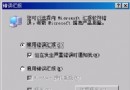
在「區域連線」內容的「進階」索引標籤,原本應顯示的 Windows 防火牆 (ICF) 不見,取而代之的是錯誤訊息:
「Windows 無法顯示此連線的內容。Windows Management Instrumentation (WMI) 資訊可能損毀。請使用系統還原…」

但若系統還原已關閉,需手動修復 WMI 儲存庫。

修復步驟

  1. 右鍵「我的電腦」 → 「管理」 → 「服務與應用程式」 → 「服務」。
  2. 找到 Windows Management Instrumentation,雙擊開啟 → 按「停止」。
  3. 開啟資源管理器,進入 C:\Windows\System32\Wbem\Repository,刪除該資料夾下所有檔案。
  4. 重新開機。系統會自動重建所需檔案並啟動 WMI 服務。

連鎖症狀說明

WMI 每 30~60 秒會讀取 Repository 檔案,損毀會導致:

  • 無法檢視「區域連線」內容
  • 執行 msinfo32 無回應
  • 執行 wmimgmt.msc 提示 Failed to connect to local computer due to WMI: Generic failure

修復後上述問題皆可解決。

Copyright © Windows教程網 All Rights Reserved