問題現象
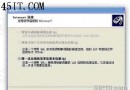
Windows XP 關機時跳出「rundll32.exe 無法關閉」對話框,導致關機延遲或失敗。
根本原因
經排查,此故障由 暴風影音 2 (Storm Codec) 的啟動元件 StormCodec_Helper 引起,其掛鉤系統關機流程導致 rundll32.exe 掛住。
解決方法
方法一:msconfig 停用啟動項(推薦,無風險)
- 「執行」輸入
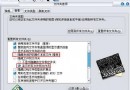
msconfig → 「啟動」索引標籤
- 取消勾選 stormcodec_helper
- 確定 → 重新開機
方法二:登錄編輯器刪除啟動鍵值(進階)
- 「執行」輸入
regedit
- 瀏覽至:
HKEY_LOCAL_MACHINE\SOFTWARE\Microsoft\Windows\CurrentVersion\Run
- 刪除 StormCodec_Helper 鍵值
- 重新開機
注意事項:
- rundll32.exe 為系統核心元件,許多程式皆可能相關,以上僅針對暴風影音 2 個案
- 修改登錄具風險,操作前請備份登錄(regedit → 檔案 → 匯出)
- 若非暴風影音引起,請排查其他啟動程式或殘留 DLL