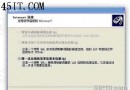
雙擊 .chm 檔案不會開啟內容,反而跳出「開啟方式」對話框,系統無法辨識 CHM 檔案關聯。
%WINDIR%\hh.exe
regsvr32 hhctrl.ocx
regsvr32 itss.dll
若上述兩檔遺失,亦可從他機 C:\Windows\System32\ 複製後再註冊。
C:\Windows\System32\
Windows 登入類型完全解析:從事件日誌識別駭客入侵跡象
Windows XP 16 招超級實用技巧:從啟用備份到快速關機全攻略
Windows XP 檔案共享完全手冊:簡單共享 vs 進階共享與 Guest 帳號啟用
Windows XP 精簡服務與優化開機速度完整指南(上)
網遊帳號安全防護:防火牆阻斷盜號木馬外連傳輸
Windows XP 自訂開機啟動項目順序:批次檔實現精確控制
Windows XP SP2 突破 TCP 連線限制:修改 Tcpip.sys 實現多執行緒下載與 P2P 完整攻略
Windows XP 實現自動重開機兩技巧:系統死結自動重啟、總管崩潰自動重啟