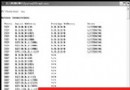
系統關機時自動彈出「結束工作」對話框,標題為 RUNDLL32.EXE。選「結束工作」才能關機,關閉對話框則無法關機。
RUNDLL32.EXE
應用程式的動態連結庫 (DLL) 出現問題,導致進程無法自動結束。
修改登錄:regedit → 搜尋 AutoEndTasks → 將數值資料改為 1 即可解決。
regedit
AutoEndTasks
1
Windows XP 控制台基礎教學 21:使用者帳號管理(新增、修改、刪除)
WinXP 撥號上網錯誤 678 完整排除與修復指南
Windows XP 輸入法圖示消失?四大解決方案快速找回語言列
解決 Windows XP 頑固自啟動程式無法停用的問題
善用 ISO 映像檔開機:ISOEMU 讓你免燒錄安裝 Linux
Win XP SP2 啟動完整指南:破解手法演進、完美啟動驗證與備份還原
Windows 藍畫面錯誤代碼完整解析(上):常見停止錯誤原因與對策
Windows 安全模式實戰全指南:從救援顯示卡到分區管理