Windows XP Windows 7 Windows 2003 Windows Vista Windows 綜合教學 Linux 系統教學
Windows 10 Windows 8 Windows 2008 Windows NT Windows Server 電腦軟體教學

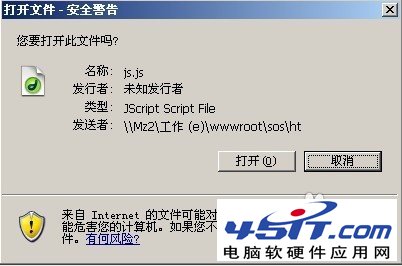
Windows XP 關閉「開啟檔案 - 安全性警告」提示視窗三種方法

編輯:XP 系統基礎知識

XP 系統下載安裝檔執行時總彈出「安全性警告」視窗,三種方法徹底關閉:
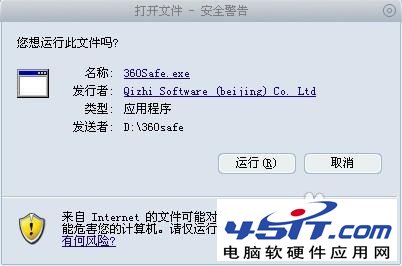
方法一:匯入登錄檔 (.reg)

  1. 開啟「記事本」,貼上以下內容:
Windows Registry Editor Version 5.00
[HKEY_CURRENT_USER\Software\Microsoft\Windows\CurrentVersion\Policies\Associations]
"ModRiskFileTypes"=".exe"
  1. 存檔為 1.reg (儲存在桌面)。
  2. 雙擊匯入登錄。

方法二:命令提示字元一鍵執行

  1. 「執行」輸入 cmd 開啟命令提示字元。
  2. 貼上執行:
    reg add HKCU\Software\Microsoft\Windows\CurrentVersion\Policies\Associations /v ModRiskFileTypes /t REG_SZ /d .exe /f
    gpupdate /force

方法三:群組原則編輯器 (gpedit.msc)

  1. 「執行」輸入 gpedit.msc。
  2. 依序展開:使用者設定 → 系統管理範本 → Windows 元件 → 附件管理員。
  3. 雙擊「中等風險檔案類型包含清單」→ 選「已啟用」→ 「指定中等風險副檔名」輸入 .exe (記得前面有點) → 確定。
Copyright © Windows教程網 All Rights Reserved