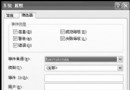
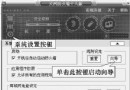
直接 Ghost 克隆系統到新硬碟常因硬體 ID 衝突導致無法開機。Windows XP 光碟內建的 Sysprep 工具可將系統一般化,移除獨特安全識別碼 (SID),讓還原後在新硬體上重新偵測裝置並產生新 SID,實現完美跨硬體部署。
Sysprep
\SUPPORT\TOOLS\DEPLOY.CAB
sysprep.exe
注意:Sysprep 僅能在 C 盤的 Windows 系統上執行。此法極適合企業大量部署或個人更換硬碟/主機板時使用。
Windows XP 資料保護與恢復進階:EFS 憑證管理、DRA 最佳實務與 Cipher.exe 實戰
Windows 7 vs Windows XP:哪個系統更好?取決於硬體配置與需求
沒光驅、沒軟驅也能重灌系統:實戰技巧分享
有備無患:Windows XP 軟體資料大遷移完全指南
讓 XP 任務列時鐘顯示星期幾:地區選項自訂長日期格式
Windows XP 排程工作無法啟動?關鍵在於「使用者帳戶必須設定密碼」
Windows XP 專業版 EFS 檔案加密完整教學:加密、備份憑證、還原全攻略
三步驟快速查看本機 IP 位址:圖解 Windows 網路連線詳細資訊法