Windows XP Windows 7 Windows 2003 Windows Vista Windows 綜合教學 Linux 系統教學
Windows 10 Windows 8 Windows 2008 Windows NT Windows Server 電腦軟體教學

Windows XP SP2 下載慢、網頁打不開?手動修改 Tcpip.sys 連線上限至 100/5000 徹底解決

編輯:XP 系統基礎知識

同 ID 28114 內容,補充最簡單「建立捷徑帶參數」法:

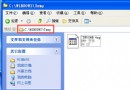
  1. 下載 EvID4226Patch.exe 放入資料夾(如 D:\Patch)。
  2. 右鍵建立捷徑 → 內容 → 目標後加參數:
    /l=100 /w=C:\Windows\system32\drivers /l=tcpip.sys
    (注意 .exe 後有空格)
  3. 雙擊捷徑 → 按 Y 確認 → 重開機生效。

參數 /l=100 設上限 100 連線(內網/LAN 建議),ADSL 家用 50 足夠。極限可設 5000(對應 16777214 連線),但極度不安全,強烈不建議。修改後事件檢視器不再出現 TCP/IP 安全限制警告。

Copyright © Windows教程網 All Rights Reserved