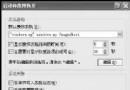
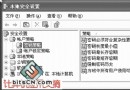
安裝 Longhorn Build 4051 後,設定 MSN Messenger 開機自動登入卻失效。經查證,原因是預設使用者缺乏「網路識別精靈」權限。
MSNMSGR.EXE
此問題源於 Longhorn 早期版本的權限機制與舊版 MSN 相容性衝突,調整相容性模式即可繞過限制。
Windows explorer.exe 錯誤關閉原因分析與八大解決方案總整理
Windows XP 進階啟動選項全解析:安全模式、網路安全模式、命令提示字元與偵錯模式
Linux 與 Windows 檔案互傳實戰指南
Windows XP 登入密碼破解兩大法:管理員帳號修改與刪除 SAM 資料庫檔案
深入 Windows XP 系統還原:關閉非系統分區、調整備份週期、保護重要資料、雙重還原模式
Windows 系統隱藏檔案深度解析:PageFile、Desktop.ini、System Volume Information 等
遠離電腦安全十大禁忌:從供電、防火牆到備份的完整防護清單
Windows XP 數位 CD 音訊播放模式設定教學:解決光碟機無聲音問題