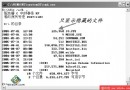
.exe 檔案關聯錯誤(常由病毒導致),導致所有執行檔無法開啟,連殺毒軟體也無法執行。
cmd
assoc .exe=exefile
.exe=exefile
assoc 為檔案關聯管理指令,將 .exe 重新指向 exefile 類別,修復登錄 HKEY_CLASSES_ROOT\.exe 與 HKEY_CLASSES_ROOT\exefile 的對應關係。安全模式下登錄未被惡意程式鎖定,指令才能生效。
assoc
.exe
exefile
HKEY_CLASSES_ROOT\.exe
HKEY_CLASSES_ROOT\exefile
一行指令、零工具、秒修復,備忘必收。
Windows XP 網路優化設定:加速共享、解決開機停頓、自動連網、QoS 頻寬釋放、防火牆啟用
Windows XP 系統六大禁忌:虛擬光碟、日期陷阱、外置 Modem、預設共用、混裝 9x、ACPI 待機
用 ISO 檔案在 DOS 下重裝 Windows 系統:無光碟機、無軟碟機筆電救機指南
解決 Windows XP 開機緩慢的完整調校指南
資深網管教你徹底揪出 Windows 開機啟動項的惡意程式
批次建立 XP 共享資料夾利器:shrpubw.exe 精靈式操作一鍵完成多資料夾共享
Windows XP 實用技巧:自動調整 IE 位址列字型大小
Windows XP 多媒體設定全攻略:硬體安裝、聲音/音訊/語音/裝置屬性完整圖解