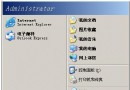
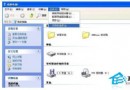
現象:進入桌面點什麼都無反應,約一分鐘後恢復正常。
msconfig
192.168.0.X
255.255.255.0
C:\Windows\Prefetch
.pf
配合圖示說明操作介面,依序執行通常能解決開機遲滯。
WinXP 如何清除無線網路設定檔?網路連線屬性中刪除優先網路
Windows XP ADSL 撥號錯誤 691 完整解決:帳密、欠費、多網卡、驅動四大檢查點
PowerPoint 批量複製投影片神器:「投影片搜尋器」一鍵匯入多檔案
電腦連接投影儀無畫面/無訊號?筆電輸出模式、解析度、熱鍵、雙螢幕設定完整排查指南
Windows 平台六大免費備份軟體深度評測與推薦
Windows XP 開機提示「NTLDR is missing」?系統啟動檔修復完整教學(光碟修復模式)
Windows XP 經典應用秘籍 5 選:關機清空頁面檔、服務精簡、Smartdrv 加速、Win32k.sys 修復、開機選單詳解
加速 Windows 開機:註冊表調教自動結束程序、預讀取參數與 BIOS 快速啟動設定