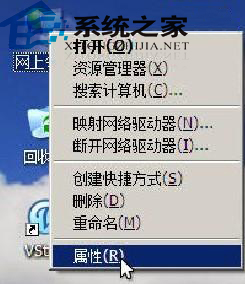
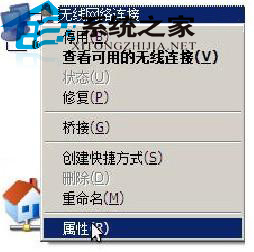
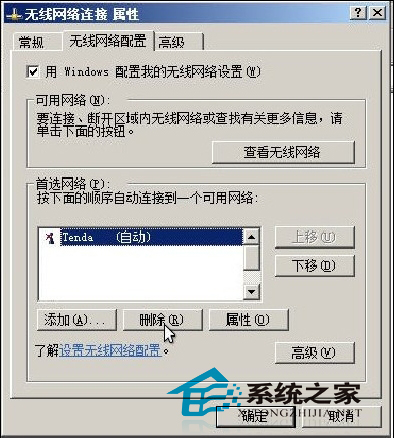
XP 記憶的無線網路設定檔(XML 格式)存放於 %HOMEDRIVE%\ProgramData\,但最簡單刪除方式在圖形介面操作。
%HOMEDRIVE%\ProgramData\
進階用戶也可直接至 %HOMEDRIVE%\ProgramData\Microsoft\Windows\Wlansvc\Profiles\Interfaces\{介面ID}\ 刪除對應 .xml 檔案。
%HOMEDRIVE%\ProgramData\Microsoft\Windows\Wlansvc\Profiles\Interfaces\{介面ID}\
.xml
Vista 快速存取路由器管理介面:善用網絡圖示一鍵登入
忘記 Windows XP 登錄密碼?三種實用找回技巧全解析
五招解決 Windows XP 開機後操作遲滯
WinXP 加密分區檔案不見了怎麼找回?屬性 → 工具 → 開始備份 → 依照嚮導還原至其他分區
WinXP桌面圖示花屏變色:圖示快取重建與病毒查殺雙管齊下
電腦核心組件功能詳解:CPU、主板、記憶體、顯卡、硬碟、網卡、聲卡
PowerPoint 簡報美化四大實用技巧:邊框、對比、版面與動畫
聲卡驅動安裝失誤?Realtek 被誤裝為 SoundMAX(AD188X)的正確處理流程