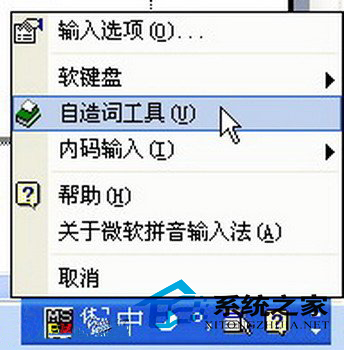
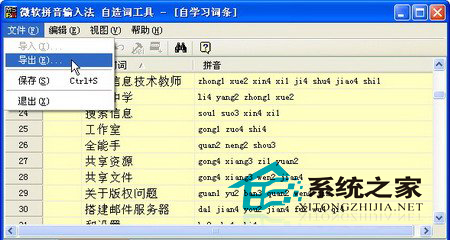
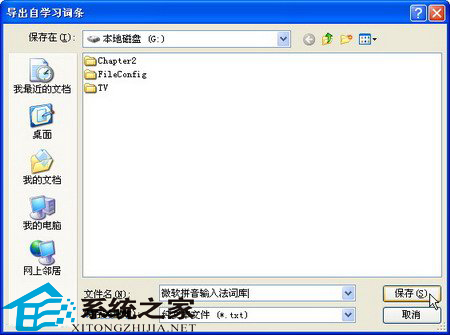
重灌系統前備份輸入法自學習詞條,重灌後匯入即可恢復慣用詞彙,省去重新訓練時間。
.uce
Windows XP 打印機共享常見故障與解決方案全攻略
Windows XP 系統檔案損壞?從安裝光碟用 EXPAND/EXTRACT 指令完美還原
WinXP環境下格式化Vista系統分區命令列教學
Windows XP 網橋配置全攻略:雙網卡實現跨網段互通
WinXP 開機彈出 Nvcpl.dll 錯誤?NVIDIA 控制面板異常解決方案
WinXP 如何判斷電腦是否真的死機?自動重啟設定全攻略
將「安全模式」加入 Windows XP 多重開機選單:免按 F8 直接選擇
盜號木馬入侵徵兆與清除全流程:從隱藏檔案異常到註冊表啟動項深度排查