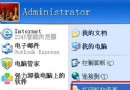
Win7/Vista/XP 安裝後桌面無 IE 捷徑,用「傳送到桌面捷徑」缺少「屬性/Internet 選項」。提供注册表檔一鍵建立完整功能捷徑:
IE8.reg (系統非 C 槽者需修改路徑):Windows Registry Editor Version 5.00
[HKEY_LOCAL_MACHINE\SOFTWARE\Microsoft\Windows\CurrentVersion\Explorer\Desktop\NameSpace\{00000000-0000-0000-0000-100000000001}]
@="Internet Explorer"
[HKEY_CLASSES_ROOT\CLSID\{00000000-0000-0000-0000-100000000001}]
@="Internet Explorer"
[HKEY_CLASSES_ROOT\CLSID\{00000000-0000-0000-0000-100000000001}\DefaultIcon]
@="C:\\Windows\\System32\\ieframe.dll,-190"
[HKEY_CLASSES_ROOT\CLSID\{00000000-0000-0000-0000-100000000001}\shell]
@=""
[HKEY_CLASSES_ROOT\CLSID\{00000000-0000-0000-0000-100000000001}\shell\NoAddOns]
@="無附加元件啟動(&N)"
[HKEY_CLASSES_ROOT\CLSID\{00000000-0000-0000-0000-100000000001}\shell\NoAddOns\Command]
@="\"C:\\Program Files\\Internet Explorer\\iexplore.exe\" -extoff"
[HKEY_CLASSES_ROOT\CLSID\{00000000-0000-0000-0000-100000000001}\shell\Open]
@="開啟首頁(&H)"
[HKEY_CLASSES_ROOT\CLSID\{00000000-0000-0000-0000-100000000001}\shell\Open\Command]
@="\"C:\\Program Files\\Internet Explorer\\iexplore.exe\""
[HKEY_CLASSES_ROOT\CLSID\{00000000-0000-0000-0000-100000000001}\shell\Set]
@="屬性(&R)"
[HKEY_CLASSES_ROOT\CLSID\{00000000-0000-0000-0000-100000000001}\shell\Set\Command]
@="\"C:\\Windows\\System32\\rundll32.exe\" C:\\Windows\\System32\\shell32.dll,Control_RunDLL C:\\Windows\\System32\\inetcpl.cpl"
刪不掉的頑固檔案怎麼辦?XP 系統七大常規與七大進階解法總整理
解決 Vista 邊欄「天氣」小工具無法使用:修改區域設定為美國
Windows XP 前置 USB 埠無反應?關閉 USB 選擇性暫停功能完整解決教學
Windows XP 無法清除 DNS 快取?三階段修復:修復本地連線、CMD flushdns、啟動 DHCP Client 與 DNS Client 服務
解決 Vista 安裝後磁碟機代號錯亂:在 Vista 內修正後再次執行安裝程式
卸載 Windows XP SP3 三大法:控制台、命令列、Ghost 還原