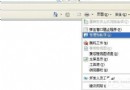
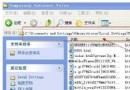
regsvr32 c:\windows\system\thumbvw.dll
C:\Windows\ShellIconCache
C:\Winnt\ShellIconCache
Windows 2000/XP 均適用。
WinXP 開機提示「找不到 comctl32.dll」?下載註冊即可修復
Windows 系統崩潰自救六大絕招:SFC修復、最後正確配置、新建用戶、DLL重註冊、系統還原、修復安裝
WinXP註冊表被惡意網頁鎖定?用HTML頁面反制解鎖
深入 Windows XP 磁碟重組:Prefetch 目錄運作與關閉自動重組
無線路由器防蹭網完整設定:修改管理位址、WPA加密、關閉SSID廣播、MAC位址過濾、IP綁定
WinXP CPU 佔用率過高怎麼辦?七大主因與對應解決策略(含大型程式、病毒、驅動、磁碟碎片、SVCHOST、IIS)
SSLstrip 攻擊原理與防禦方案:守護 HTTPS 傳輸安全
從硬體著手加速 Windows XP 開機:主機板、硬碟、記憶體三大關鍵