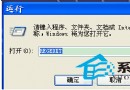
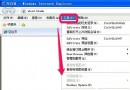
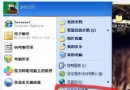
程式當機時彈出的「錯誤報告」詢問是否傳送微軟,既干擾又可能洩露隱私。永久關閉方法:
此法比註冊表修改更直觀、安全,徹底杜絕彈窗干擾。
WinXP提示系統檔案被替換為無法識別版本完整解決方案
WinXP 如何清除無線網路設定檔?網路連線屬性中刪除優先網路
XP系統針式印表機列印連續紙(241×140mm)怎麼設定?自訂紙張尺寸教學
為 Ghost 映像檔加密:Ghost -pwd 參數建立帶密碼保護的備份
Trojan Remover 6.2.3:專門對付頑固木馬的「特效藥」
Windows XP 印表機無法列印測試頁六大排查:連接線、病毒、預設印表機、連接埠、IP 衝突、驅動程式
XP系統找不到「網路和共用中心」?其實對應的是「網路芳鄰」屬性
上網速度太慢?修改登錄檔調整 TCP 視窗大小,讓 ADSL 傳輸效率翻倍