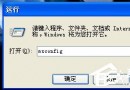
先裝 XP (C:),再裝 Win7 (D:),雙啟動正常。後用一鍵還原還原 C: 分區,Win7 啟動項消失,僅剩 XP 與一鍵還原選單,無法進入 Win7。主因:還原 C: 導致 bootmgr、C:\Boot\BCD 遺失/損毀,Win7 啟動鏈斷裂。本文從啟動原理切入,實戰修復全流程:備份檔案準備、EasyBCD 重建 BCD 項目、bootsect 修復啟動磁區,手把手教你救回雙啟動。
bootmgr (Win7/8/10/11 啟動管理程式)。bootmgr 讀取 C:\Boot\BCD (啟動配置資料) 與 C:\boot.ini (XP 啟動配置)。bootmgr 移交控制權給 C:\Windows\System32\winload.exe 載入 Win7。bootmgr 移交控制權給 NTLDR → 讀取 C:\boot.ini 載入 XP。bootmgr 遺失、BCD 配置錯誤、winload.exe 遺失、NTLDR 遺失。bootmgr、NTLDR (C: 通常有)、BCD、bootsect.exe — 從 Win7 安裝光碟/ISO \boot\ 目錄提取,或同版本正常電腦複製。bootmgr、NTLDR → 複製到 C: 根目錄。BCD、bootsect.exe → 複製到 C:\Boot\ 目錄 (不存在請建立)。Windows NT/2000/XP、Drive C:\、Name Windows XP → Add Entry。Windows Vista/Longhorn、Drive D:\ (Win7 所在分區)、Name Windows 7 → Add Entry。cmd → 進入 C:\Boot\ → 執行:bootsect /nt60 C: (將 C: 啟動磁區更新為 Win7/8/10/11 格式,原為 nt52 XP 格式)。| 問題 | 原因 | 對策 |
|---|---|---|
| EasyBCD 無法啟動 | 缺 .NET Framework 2.0+ | 安裝 .NET 2.0 SP2 / 3.5 SP1 (XP 內建 2.0 可能損壞) |
| Win7 選單項點擊後藍屏/重開機 | Drive 設錯 / winload.exe 路徑錯 / BCD device/osdevice 錯 | EasyBCD「View Settings」核對 Device/OsDevice 指向正確分區;必要時手動 bcdedit /set {guid} device partition=D: |
| XP 選單項無法進入 | NTLDR/boot.ini 遺失 / C: 非作用分區 | 確認 C: 有 NTLDR、NTDETECT.COM、boot.ini;diskpart 確認 C: active |
| bootsect 報錯「無法鎖定磁碟」 | 其他程式佔用 / 權限不足 | 以系統管理員 cmd 執行;安全模式下執行 |
bcdedit /create {bootmgr} /d "Windows Boot Manager"
bcdedit /set {bootmgr} device partition=C:
bcdedit /create /d "Windows 7" /application osloader
:: 記下產生的 GUID {guid7}
bcdedit /set {guid7} device partition=D:
bcdedit /set {guid7} osdevice partition=D:
bcdedit /set {guid7} path \Windows\system32\winload.exe
bcdedit /set {guid7} locale zh-CN
bcdedit /create /d "Windows XP" /application osloader
:: 記下產生的 GUID {guidXP}
bcdedit /set {guidXP} device partition=C:
bcdedit /set {guidXP} osdevice partition=C:
bcdedit /set {guidXP} path \ntldr
bcdedit /displayorder {guid7} {guidXP}
bcdedit /default {guid7}
bcdedit /timeout 10
雙系統啟動修復看似複雜,實則邏輯清晰:備份核心檔 → EasyBCD 重建 BCD 選單 → bootsect 修復啟動磁區。掌握原理,下次無論是還原、分區調整、病毒破壞導致啟動項消失,你都能從容修復,不再重裝系統!