筆電在公司、家裡、咖啡廳等不同網路環境間移動,頻繁手動切換 IP 設定極為繁瑣。善用 Windows 內建 netsh 指令,寫成兩支批次檔(.bat),雙擊即可一鍵切換「固定 IP」與「自動取得 IP(DHCP)」,大幅提升行動辦公效率。
@echo off
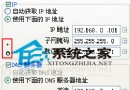
netsh interface ip set address "區域連線" static 192.168.0.84 255.255.255.0 192.168.0.254
netsh interface ip set dns "區域連線" static 192.168.0.254
netsh interface ip add dns "區域連線" 202.106.196.115 index=2
netsh interface ip add dns "區域連線" 202.106.0.20 index=3
說明:
區域連線 替換為實際網卡名稱(如「乙太網路」、「Wi-Fi」)。index=2/3 為備用 DNS 伺服器順序。@echo off netsh interface ip set address name="區域連線" source=dhcp netsh interface ip set dns name="區域連線" source=dhcp
.bat 檔放在桌面或快速啟動列。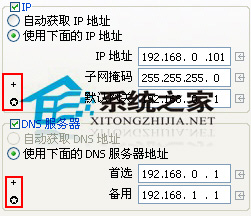
掌握這兩支腳本,筆電跨網域移動不再煩惱,真正做到「藥到病除」。