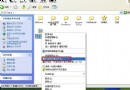
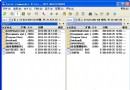
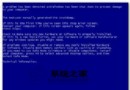
安裝軟體時出現「The Windows Installer Service Could Not Be Accessed」錯誤,常因 ACDSee 5.0 衝突、Installer 服務損壞或註冊表錯誤。本文提供三級修復方案:基礎排查、服務重註冊、核心服務重建。
sfc /scannow 掃描修復系統檔案services.msc) 將 Windows Installer 設為「手動」並重新啟動ikernel.exe 進程後再試安裝C:\Program Files\Common Files\InstallShield\Engine\6\Intel 32 內容後重開機instmsiw.exe 重裝 Windows Installer 2.0(若提示已安裝則繼續下步)HKEY_LOCAL_MACHINE\SYSTEM\CurrentControlSet\Services\MSIServer 整個分支instmsiw.exe 完成重註冊unmsiserver.reg 徹底移除服務定義:[-HKEY_LOCAL_MACHINE\SYSTEM\CurrentControlSet\Services\MSIServer]unmsi.inf 刪除 MSI 相關 DLL(來源自 instmsiw.exe 修改),右鍵「安裝」執行。系統檔案保護可能提示插入光碟,選擇忽略。instmsiw.exe 完整重建 Installer 服務sfc /scannow 維護系統完整性依嚴重程度由輕至重套用三大方案,即可徹底修復 Windows Installer 服務異常。