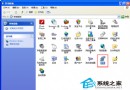
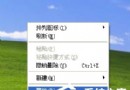
XP 易藍畫面,開機後不久發生者尤為棘手。專業修復雙步走:
C:\Windows\Minidump\Minixxxx-xx-xx-xx.dmp
!analyze -v
小知識:小型記憶體轉储僅保存前 64KB 關鍵資料,節省空間且足夠偵錯。Dump 檔專供驅動開發者/進階使用者分析,必須用 WinDbg 等專業工具開啟。
此法為「教人漁」,一次設定,終身受用,不再盲目重灌。
WinXP 複製檔案提示「路徑太深」無法複製?三招破解
Windows 核心進程完整圖鑑:System Idle Process、smss、csrss、winlogon、lsass、services、svchost、explorer 等 30+ 進程功能與安全性解析
WinXP 如何執行桌面清理精靈?整理捷徑圖示教學
無線路由器 192.168.1.1 進不去?七步完整排查與設定教學
360 修補漏洞後 XP 藍畫面?安全模式或 PE 系統卸載致災補丁(KB2838727 等)救機
忘記 Windows XP 開機密碼?免工具破解教學
「熊貓燒香」後又一惡性木馬 Trojan-Dropper.Win32.Agent.bct 手動清除全紀錄
WinXP 系統 BIOS 設定 USB 開機完整圖文教學