「Alerter: 通知選定的用戶和計算機管理警報」頻繁彈窗干擾,該服務作用有限可安全禁用。
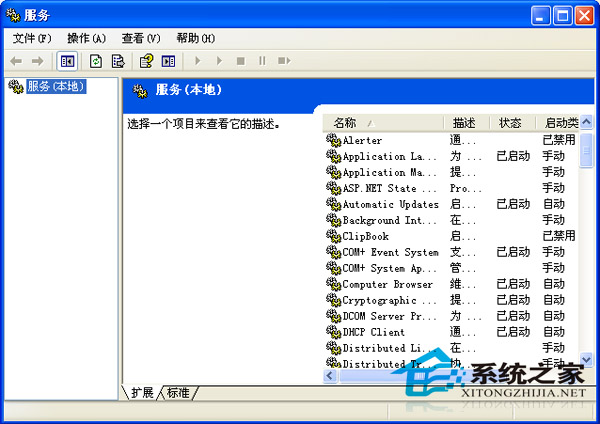
禁用後不再彈窗,且不影響核心功能。同理,其他無用服務亦可由此入口管理,但禁用前請確認用途避免誤傷。
Windows 執行命令大全:100+ 常用管理工具指令速查表(含開啟方式、功能說明)
WinXP 解壓縮提示「無法預測的壓縮檔結尾」?修復與替代方案
五步解決 DameWare 遠程控制 Windows XP SP2 連線問題
CMOS Menu 工具:備份、還原、關閉軟驅與清除密碼一站式管理
WinXP 無法開機?用 USB 隨身碟啟動 DOS 搶救資料完整教學
WinXP 筆電/台式機如何進入安全模式?F8 鍵大法、系統選單法、Win7 差異對照
惡意網頁病毒常見 4 大症狀與修復全攻略:首頁被改、搜尋劫持、選項鎖定、降級安全性,註冊表手動/自動修復法
IT 管理員必備十大免費工具 (上):KeePass、Notepad++、TCPView、WinDirStat、OldCmp