Windows XP Windows 7 Windows 2003 Windows Vista Windows 綜合教學 Linux 系統教學
Windows 10 Windows 8 Windows 2008 Windows NT Windows Server 電腦軟體教學

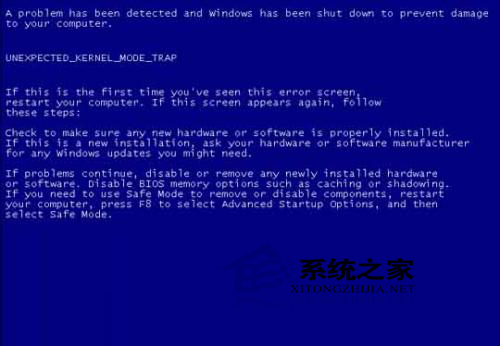
XP 打補丁導致藍畫面?PE 系統定位 $NtUninstallKBxxxxxx$ 資料夾執行 spuninst.exe 精準卸載致災補丁

編輯:XP 系統應用技巧

修補程式(如 KB956744)有時引發藍畫面。非微軟官方補丁工具(360 等)檢測機制不完美,易裝上不相容補丁。三步精準卸載:

PE 系統卸載法(最強)

  1. USB/光碟啟動 PE 進入維護環境。
  2. 進入 XP 系統盤 Windows 資料夾,找藍色資料夾 $NtUninstallKBxxxxxx$(NTFS 下藍色),xxxxxx 為藍畫面前安裝的補丁編號。
  3. 進入該資料夾 → spuninst → 執行 spuninst.exe 反安裝 → 重開機。

手動卸載法(PE 失效備援)

  1. 打開同資料夾下 spuninst.txt,內含刪除指令(如 del c:\Windows\System32\dllcache\mstscax.dll)。
  2. 執行 cmd 逐行輸入指令刪除檔案。
  3. 重開機,若仍藍畫面,開機按 F8 選「最後一次正確配置」。

補丁導致藍畫面

避坑指南

優先使用 Windows Update(官方管道)。若正版驗證無法用,換可靠第三方補丁工具,遇藍畫面立即更換工具,切勿迷信單一軟體。

Copyright © Windows教程網 All Rights Reserved