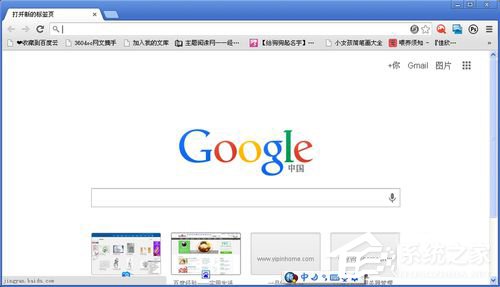
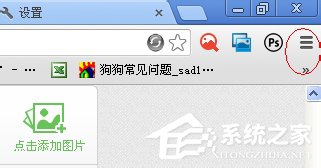
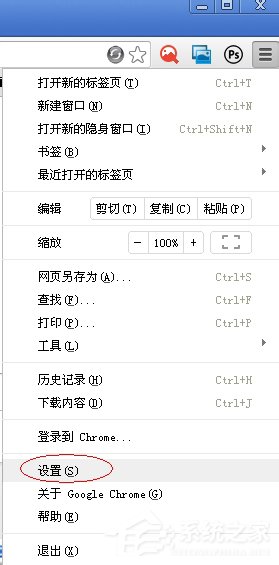
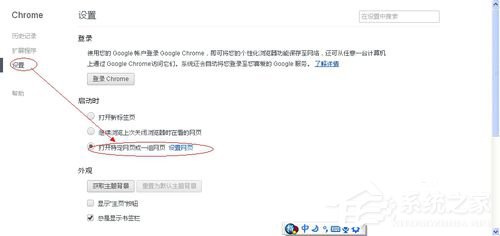
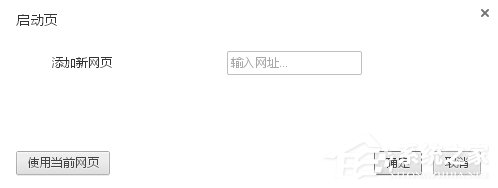
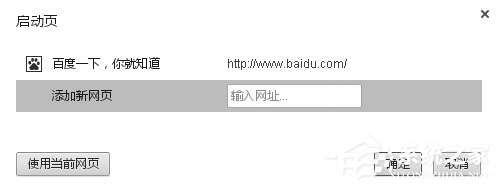
Chrome 安裝後預設開啟空白頁,Windows XP 使用者可透過設定指定啟動時開啟的網頁。步驟:Chrome 右上角選單 →「設定」→「啟動時」選 開啟特定網頁或一組網頁 →「設定網頁」→「新增網頁」輸入網址 (如 https://www.google.com) → 確定。重啟 Chrome 即顯示自訂首頁。
注意:Chrome 49 為 Windows XP 最後支援版本,建議同步更新至較新作業系統以獲得安全性更新。
Windows XP 提示「未啟動伺服器服務」?services.msc 啟動 Server 服務完整步驟
Windows 加速迭代:Vista 用戶免費升級困局與定價聽證爭議
升級 Windows XP 後硬碟光碟機變慢?檢查 IDE 傳輸模式改回 UDMA
Windows XP 開啟「我的電腦」超慢?六大加速技巧徹底解決卡頓
Windows XP 系統內建錄音機使用教學:麥克風準備、空錄積累時長、正式錄製、另存 WAV
移除桌面圖示文字陰影三法:桌面自訂、排列圖示、視覺效果微調
不用重灌!建立新使用者帳號讓 Windows XP 煥然一新
Windows XP 乾淨啟動完整教學:診斷軟體衝突、隔離故障根因