打開工作管理器發現 iexplore.exe 正在執行,這是 Internet Explorer 瀏覽器主程式,還是偽裝的木馬?本文詳細解析正常與病毒 iexplore.exe 的路徑差異、病毒行為特徵、三種清除方案,助您精準判斷、徹底清除。
C:\Program Files\Internet Explorer\iexplore.exe。C:\Program Files\Internet Explorer\ 下 → 通常正常(除非已被感染)。C:\WINDOWS\System32\ 下 → 十之八九是病毒/木馬(如 Trojan.KillAV.B、Trojan.PowerSpider.ac)。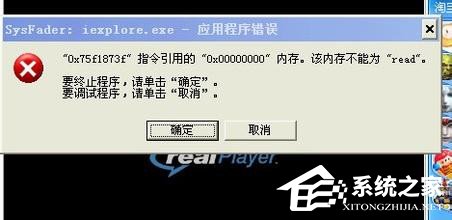
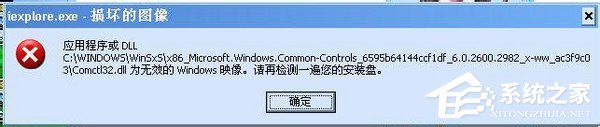
iexplore.exe。C:\WINDOWS\System32 刪除 iexplore.exe 與 psinthk.dll。regedit,刪除鍵值:HKEY_LOCAL_MACHINE\Software\Microsoft\Windows\CurrentVersion\Run "mssysint" = iexplore.exe適用於感染範圍廣、手動清除困難的情況。
⚠ 需具備註冊表與進程管理經驗,操作前請備份重要資料!
pskill.exe 結束可疑進程:winrpcsrv.exe, winrpc.exe, wingate.exe, syshelp.exe, rpcsrv.exe, iexplore.exe, winVNC.exe...services.msc,刪除無描述的惡意服務註冊表鍵值:HKEY_LOCAL_MACHINE\SYSTEM\CurrentControlSet\Services\BRWWTELKHKEY_LOCAL_MACHINE\SYSTEM\CurrentControlSet\Services\prom0n.exeHKEY_LOCAL_MACHINE\SYSTEM\CurrentControlSet\Services\Windows Management ExtensionHKEY_LOCAL_MACHINE\SYSTEM\CurrentControlSet\Services\Window Remote ServiceHKEY_CURRENT_USER\Software\Microsoft\Windows\CurrentVersion\RunHKEY_LOCAL_MACHINE\SOFTWARE\Microsoft\Windows\CurrentVersion\Run 等相關鍵值。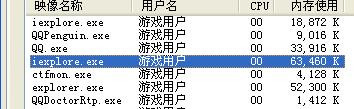
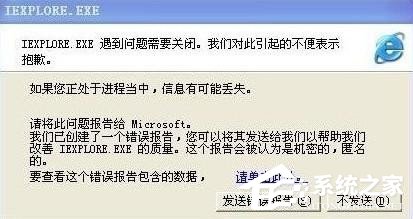
HKEY_LOCAL_MACHINE\SYSTEM\CurrentControlSet\Services\dll_reg、HKEY_CLASSES_ROOT\Applications\winrpc.exe。HKEY_CLASSES_ROOT\txtfile\shell\open\command 預設值為 "%SystemRoot%\system32\NOTEPAD.EXE %1"。C:\WINDOWS\System32 下惡意可執行檔(多為 78,848 bytes):winrpcsrv.exe, winrpc.exe, wingate.exe, syshelp.exe, rpcsrv.exe, iexplore.exe, prom0n.exe, irftpd.exe, irftpd.dll, reg.dll, task.dll, ily.dll, Thdstat.exe, 1.dll, winvnc.exe 等。C:\Documents and Settings\Default User\Local Settings\Temporary Internet Files\Content.IE5 除 desktop.ini 外所有檔案。irftpd.exe)。C:\WINDOWS\System32 是否有異常新增檔案。掌握路徑判斷法,iexplore.exe 病毒無處遁形!