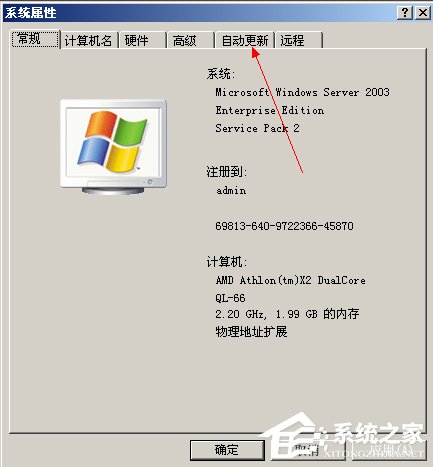
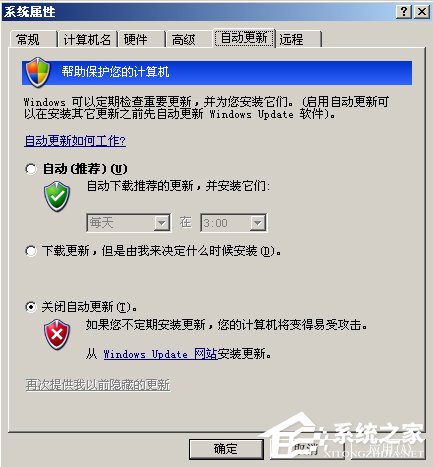
盜版 XP 常遇每小時黑畫面(WGA 驗證失敗)。四招組合拳徹底解決:關自動更新、禁服務、批次檔清 WGA、刪登錄檔。
services.msc → Enter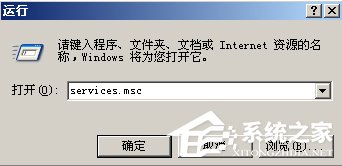
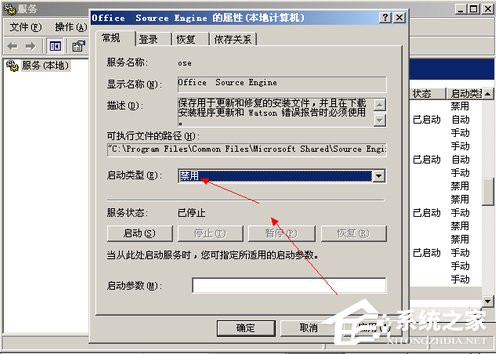
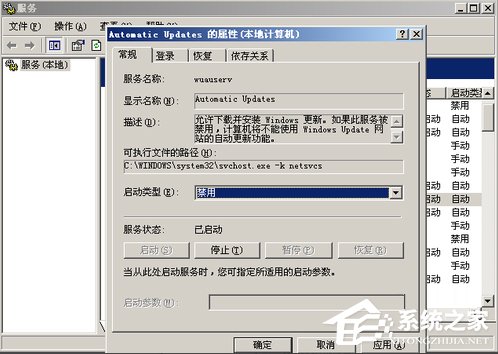
cleanwga.bat(注意副檔名 .bat)@echo off
sfc /purgecache
reg delete "HKEY_LOCAL_MACHINE\SOFTWARE\Microsoft\Windows NT\CurrentVersion\Winlogon\Notify\Wgalogon" /f
taskkill /f /im WgaTray.exe /T
del c:\Windows\system32\WgaTray.exe /f /q
taskkill /f /im WgaTray.exe /T
del c:\Windows\system32\WgaTray.exe /f /q
taskkill /f /im WgaTray.exe /T
del c:\Windows\system32\WgaTray.exe /f /q
taskkill /f /im WgaTray.exe /T
del c:\Windows\system32\WgaTray.exe /f /q
taskkill /f /im WgaTray.exe /T
del c:\WINNT\system32\WgaTray.exe /f /q
taskkill /f /im WgaTray.exe /T
del c:\WINNT\system32\WgaTray.exe /f /q
taskkill /f /im WgaTray.exe /T
del c:\WINNT\system32\WgaTray.exe /f /q
echo. & pause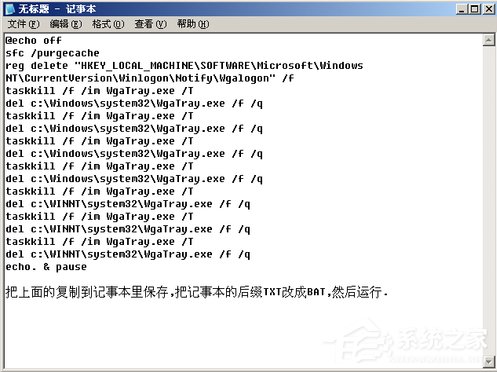
regeditHKEY_LOCAL_MACHINE\SOFTWARE\Microsoft\Windows NT\CurrentVersion\Winlogon\Notify\WgaLogonWgaLogon 項目「四招合一,WGA 徹底靜音;但請支持正版,獲得完整更新與安全保障。」