Windows XP Windows 7 Windows 2003 Windows Vista Windows 綜合教學 Linux 系統教學
Windows 10 Windows 8 Windows 2008 Windows NT Windows Server 電腦軟體教學

開機狂跳 Winmgmt.exe 錯誤?WMI 儲存庫損壞的標準修復流程(含服務停用、刪除重建)

編輯:Windows XP 系統介紹

錯誤現象

開機後每隔 30~60 秒彈出對話框:

Winmgmt.exe has generated errors and will be closed by Windows.
You will need to restart the program. An error log is being created.

點擊「關閉」不久又再次彈出,嚴重干擾使用。

根本原因

WMI(Windows Management Instrumentation)儲存庫文件損壞。儲存路徑:%SystemRoot%\System32\Wbem\Repository\。
Winmgmt.exe 服務以 30 秒間隔輪詢該目錄,發現損壞即報錯並嘗試重建,失敗則循環報錯。

標準修復步驟(微軟官方 KB 方案)

1. 停用 WMI 服務

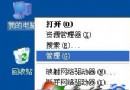
  1. 右鍵「我的電腦」→「管理」→「服務和應用程式」→「服務」。
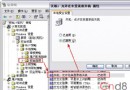
  2. 找到 Windows Management Instrumentation,右鍵 → 「停止」(若灰色不可點,先停用依賴服務如「Security Center」)。

2. 備份並刪除 Repository 目錄內所有文件

  1. 開啟資源管理器,進入 C:\Windows\System32\Wbem\Repository\。
  2. 全選 → 剪下 到桌面建立的 Repository_Backup 資料夾(備份以防萬一)。
  3. 確認原目錄已空。

3. 重新啟動 WMI 服務,自動重建儲存庫

  1. 回到「服務」管理單元,右鍵「Windows Management Instrumentation」→ 「啟動」。
  2. 服務啟動時會讀取註冊表鍵值 HKEY_LOCAL_MACHINE\SOFTWARE\Microsoft\WBEM\CIMOM\Autorecover MOFs 中列出的 .mof / .mfl 文件,自動編譯重建 Repository。
  3. 等待約 1~2 分鐘,錯誤彈窗應不再出現。

後續驗證與注意事項

  • 執行 wmidiag.vbs(微軟官方 WMI 診斷腳本)可完整檢測 WMI 健康度。
  • 部分第三方軟體(如某些防毒、監控代理)未將自有 MOF 註冊到 Autorecover 列表,重建後可能報錯或功能異常,需重新安裝或手動編譯其 MOF(mofcomp.exe 文件.mof)。
  • 若錯誤持續,檢查事件檢視器「應用程式」日誌中 WinMgmt 來源的詳細錯誤碼,對症下藥。

適用範圍

Windows 2000 SP1/SP2、Windows XP、Windows Server 2003(同樣架構)。Vista 及以上版本 WMI 架構不同,建議使用 winmgmt /resetrepository 指令或 sfc /scannow。

Copyright © Windows教程網 All Rights Reserved