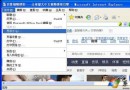
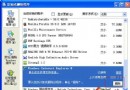
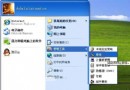
微軟為避免壟斷嫌疑,Windows 7/Vista/XP 安裝後桌面預設不放 IE 捷徑。用「傳送到 → 桌面捷徑」雖能建立圖示,但右鍵內容卻缺少「Internet 選項」分頁,無法快速設定網際網路選項。本文提供註冊檔一鍵匯入,建立完整功能的 IE8 桌面捷徑。
將下列內容複製到記事本,存為 IE8.reg。若系統非安裝在 C 槽,請自行將所有 C:\\ 替換為實際系統盤代號(雙反斜線)。
Windows Registry Editor Version 5.00

[HKEY_LOCAL_MACHINE\SOFTWARE\Microsoft\Windows\CurrentVersion\Explorer\Desktop\NameSpace\{00000000-0000-0000-0000-100000000001}]
@="Internet Explorer"

[HKEY_CLASSES_ROOT\CLSID\{00000000-0000-0000-0000-100000000001}]
@="Internet Explorer"

[HKEY_CLASSES_ROOT\CLSID\{00000000-0000-0000-0000-100000000001}\DefaultIcon]
@="C:\\Windows\\System32\\ieframe.dll,-190"

[HKEY_CLASSES_ROOT\CLSID\{00000000-0000-0000-0000-100000000001}\shell]
@=""

[HKEY_CLASSES_ROOT\CLSID\{00000000-0000-0000-0000-100000000001}\shell\NoAddOns]
@="無附加元件啟動(&N)"

[HKEY_CLASSES_ROOT\CLSID\{00000000-0000-0000-0000-100000000001}\shell\NoAddOns\Command]
@="\"C:\\Program Files\\Internet Explorer\\iexplore.exe\" -extoff"

[HKEY_CLASSES_ROOT\CLSID\{00000000-0000-0000-0000-100000000001}\shell\Open]
@="開啟首頁(&H)"

[HKEY_CLASSES_ROOT\CLSID\{00000000-0000-0000-0000-100000000001}\shell\Open\Command]
@="\"C:\\Program Files\\Internet Explorer\\iexplore.exe\""

[HKEY_CLASSES_ROOT\CLSID\{00000000-0000-0000-0000-100000000001}\shell\Set]
@="內容(&R)"

[HKEY_CLASSES_ROOT\CLSID\{00000000-0000-0000-0000-100000000001}\shell\Set\Command]
@="\"C:\\Windows\\System32\\rundll32.exe\" C:\\Windows\\System32\\shell32.dll,Control_RunDLL C:\\Windows\\System32\\inetcpl.cpl"
IE8.reg → 是/確定 匯入登錄檔。此註冊檔在 HKLM\...\Desktop\NameSpace 與 HKCR\CLSID 建立一個命名空間物件,模擬系統原生 IE 桌面圖示行為,包含:開啟首頁、無附加元件啟動、Internet 選項(控制台 inetcpl.cpl) 等右鍵選單功能。
一個 .reg 檔搞定,不用安裝第三方工具,也不用手動拖曳建立捷徑。收藏備用,重灌系統後匯入即用,極致方便!