Windows XP Windows 7 Windows 2003 Windows Vista Windows 綜合教學 Linux 系統教學
Windows 10 Windows 8 Windows 2008 Windows NT Windows Server 電腦軟體教學

隱藏登入畫面「關機」按鈕:群組原則防止他人惡意關機

編輯:Windows XP 系統介紹

鎖定電腦(Win+L)後,登入畫面仍顯示「關機」按鈕,長按電源鍵或拔電源仍可強制關機。透過群組原則隱藏該按鈕,除非暴力斷電,否則無法關機,強化實體安全。

設定步驟

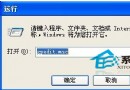
  1. 執行 gpedit.msc 開啟群組原則編輯器。
  2. 依序展開:
    電腦設定 → Windows 設定 → 安全性設定 → 本機原則 → 安全性選項
  3. 找到 「關機:允許在未登入前關機」,雙擊 → 設為 「已停用」 → 確定。
  4. 關閉編輯器,鎖定電腦測試,「關機」按鈕已消失。
效果:登入畫面無關機選項,僅能透過長按電源鍵(4 秒以上)或拔電源強制關機。適用於需長時間執行任務、防止誤關/惡意關機的場合。
注意:Home 版無 gpedit.msc,可改修登錄 HKEY_LOCAL_MACHINE\SOFTWARE\Microsoft\Windows\CurrentVersion\Policies\System\ShutdownWithoutLogon = 0。
Copyright © Windows教程網 All Rights Reserved