Windows XP Windows 7 Windows 2003 Windows Vista Windows 綜合教學 Linux 系統教學
Windows 10 Windows 8 Windows 2008 Windows NT Windows Server 電腦軟體教學

Windows XP SP2 安裝 IIS 提示找不到 staxmem.dll?組策略資料庫損毀或需整合 SP2 至安裝源

編輯:Windows XP 系統介紹

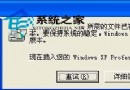
在 XP SP2 上安裝 IIS 時提示找不到 staxmem.dll,即使插入 SP2 光碟也無效。主要有兩種成因與對應解法:

成因一:本機組策略資料庫 (secedit.sdb) 損毀

  1. 執行 esentutl /g %systemroot%\security\database\secedit.sdb 檢測完整性。
  2. 若回報「database is corrupt」:
    • 在 %systemroot% 建立 OldSecurity 資料夾,移動 security 下所有 .log 檔至此。
    • 將 %systemroot%\security\database\secedit.sdb 重命名為 Secedit.old。
    • 執行 mmc → 加入「安全性設定與分析」嵌入式管理單元 → 開啟資料庫 → 匯入 setup security.inf 範本 → 重新開機。
    • 重試安裝 IIS,若仍失敗請進行成因二處理。

成因二:Windows 元件精靈同時需要 XP 原版與 SP2 升級版安裝源

需將 SP2 整合到 XP 安裝源(Slipstream),建立整合安裝光碟/ISO:

  1. 建立資料夾 C:\i386。
  2. 將 XP 原版安裝光碟 i386 完整複製到 C:\i386(xcopy /E /I /V F:\i386\*.* /s C:\i386)。
  3. 插入 SP2 安裝光碟(升級版),執行 F:\xpsp2 /integrate:C:\i386。
  4. 安裝 IIS 時,系統詢問安裝檔位置輸入 C:\ 即可。

完成上述任一流程,即可順利安裝 IIS。

Copyright © Windows教程網 All Rights Reserved