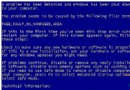
開機出現 Windows could not start because the following file is missing: \system32\drivers\tfs.sys,實際上常是核心檔 ntkrnlpa.exe / ntoskrnl.exe 損毀導致誤判。在修復控制台從 driver cache\i386\sp2.cab 展開替換即可修復。
cd \windows\system32
ren ntkrnlpa.exe ntkrnlpa.old
ren ntoskrnl.exe ntoskrnl.old
cd "c:\windows\driver cache\i386"
expand sp2.cab -F:ntkrpamp.exe c:\windows\system32
expand sp2.cab -F:ntkrnlmp.exe c:\windows\system32
cd c:\windows\system32
ren ntkrpamp.exe ntkrnlpa.exe
ren ntkrnlmp.exe ntoskrnl.exe
exit先執行 xcopy F:\i386\SP2.cab c:\windows\driver cache\i386\ 從光碟複製回來(F: 為光碟機)。