Windows XP Windows 7 Windows 2003 Windows Vista Windows 綜合教學 Linux 系統教學
Windows 10 Windows 8 Windows 2008 Windows NT Windows Server 電腦軟體教學

XP 開機歡迎畫面誤報「有未讀郵件」?清除註冊表或 TweakUI 關閉追蹤

編輯:Windows XP 系統介紹

Outlook Express/Hotmail 歡迎信被誤判為未讀郵件

解決步驟:

  1. 點擊歡迎畫面「未讀郵件」連結,進入對應郵件程式刪除該幾封歡迎信
  2. 若無效,開啟 regedit 定位 HKEY_CURRENT_USER\Software\Microsoft\Windows\CurrentVersion\UnreadMail
  3. 刪除不想追蹤的郵件帳戶機碼,或將 Message Count 設為 0
  4. 在 UnreadMail 下新建 Message ExpiryDays (DWORD) = 0 可完全關閉歡迎畫面未讀郵件顯示

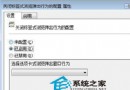
圖形化替代方案:安裝 TweakUI →「Logon」→「Unread mail」→ 取消「Show unread mail on Welcome screen」。

Copyright © Windows教程網 All Rights Reserved