Windows XP 進入安全模式需開機狂按 F8,其實可像多重開機一樣,將安全模式直接加入 boot.ini 選單,重開機直接選擇即可。
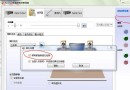
boot.ini(隱藏、系統、唯讀,需先在資料夾選項顯示受保護系統檔案)。[operating systems] 區塊,複製原有啟動列(例:multi(0)disk(0)rdisk(0)partition(1)\WINDOWS="Microsoft Windows XP Professional" /fastdetect),貼在下一行。"Microsoft Windows XP Safe Mode"。boot.ini。msconfig → 「BOOT.INI」頁籤 → 選中新增的安全模式列 → 勾選「/SAFEBOOT」→ 若需網路支援再勾選「NETWORK」。
此法避免開機連按 F8,適合須頻繁進入安全模式排除故障的使用者。