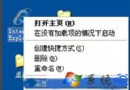
桌面與工作列圖示突然變色(僅 256 色)、顯示模糊、錯位或變成白紙圖示,重新整理(F5)無效。
Windows 為加速圖示顯示,會將已解析的圖示資料快取於隱藏檔 IconCache.db(XP)或 ShellIconCache(Win98/Me/2000)。當色彩深度設定變更、解析度調整、或快取檔損壞時,系統讀取錯誤快取導致圖示異常。
%userprofile%\Local Settings\Application Data 按 Enter。| 作業系統 | 圖示快取檔案完整路徑 |
|---|---|
| Windows XP | %userprofile%\Local Settings\Application Data\IconCache.db |
| Windows 2000 | %windir%\ShellIconCache |
| Windows 98 / Me | %windir%\ShellIconCache |
| Windows Vista / 7 / 8 / 10 / 11 | %localappdata%\IconCache.db |
@echo off
taskkill /f /im explorer.exe
del /a /q "%localappdata%\IconCache.db"
start explorer.exe
儲存為 RebuildIconCache.bat 以系統管理員身分執行即可。