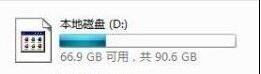
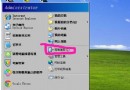
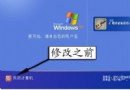
XP 系統「我的電腦」中硬碟圖示顯示異常(圖示錯誤、雙擊無反應),常見原因是病毒建立 autorun.inf 或圖示快取損壞。
autorun.inf
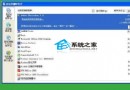
或使用 360 安全衛士、騰訊電腦管家等工具內建的「圖示顯示異常修復」功能一鍵修復。
問題多源於安裝盜版軟體或操作不當導致病毒感染,養成良好用機習慣可預防復發。
Windows XP SP2 故障全解析:IE 驗證碼消失、BT 限速、Style XP 失效、安全級別鎖定、Maxthon 呼叫防彈窗、安全中心靜音
Word 邊框控制小技巧:三顆星號變實線、工具列記憶格式、取消自動套用
XP 開機彈出「自動更新」提示煩人?系統屬性三步驟永久關閉
Windows 群組原則軟體限制原則 完整入門指南(概述與規則類型)
Windows XP 終極瘦身實戰:從 200MB 到 2GB 的深度精簡指南 (附風險預警)
XP 程式在 Windows 7 環境下的相容性解決方案完整指南
Windows「待機」選項不見了?重裝主板驅動或重設 ACPI 即可恢復
善用 Windows 內建 Guest 帳號:小型網路共享、遠端存取的輕量級方案