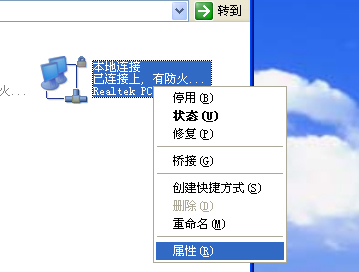
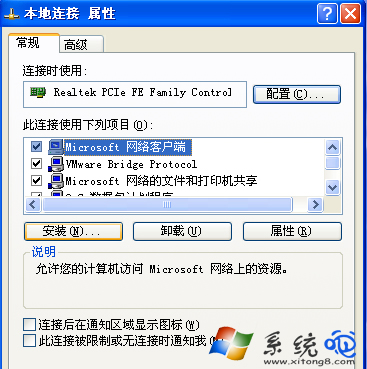
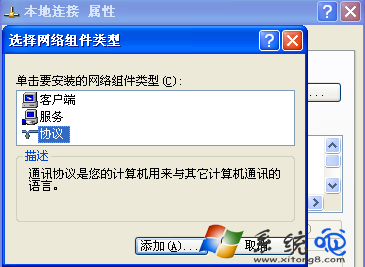
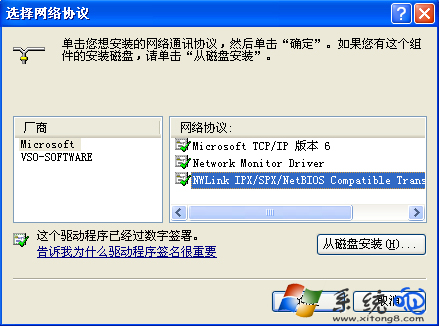
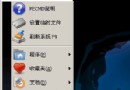
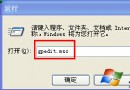
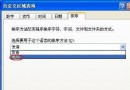
NetBIOS 協定是小型區域網路運作基礎,啟用後才能正常存取網路鄰居、共享資料夾等資源。WinXP 安裝步驟如下:
幾乎所有區域網路環境都建立在 NetBIOS 之上,若需使用網路共享功能,請務必確認已安裝此協定。
Windows 四種神奇開機方式:定時、鍵盤/滑鼠、網路喚醒、電視卡
電腦網速變慢八大元兇深度排查:從蹭網到廣播風暴、瓶頸與蠕蟲全覆蓋
忘記Windows XP登入密碼?三大找回方案(密碼重設磁碟、雙系統刪除SAM、NTFSDOS破解)
超簡單卸載 IE7 瀏覽器:在「新增/移除程式」勾選「顯示更新」即可找到
Vista 截圖畫面花屏?顯示卡驅動程式不成熟所致,待廠商更新
Windows 98 免註冊繞過線上更新限制:登錄表手動標記已註冊
深度解析 Windows XP SP2 數位簽章:檔案保護機制、驅動程式簽章與實戰應用
Windows XP 磁碟清理工具進階技巧:解鎖隱藏清理選項