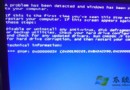
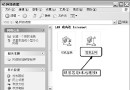
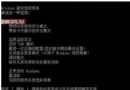
你建立的系統還原點突然變成無法還原的「系統檢查點」?這通常是因為系統安裝分區(通常是 C 槽)剩餘空間低於 200 MB。系統還原功能需要足夠的磁碟空間來儲存還原資料,空間不足時會自動停止服務,並將既有還原點轉為唯讀的檢查點。
清理 C 槽空間,騰出至少 500 MB 以上 的可用空間(建議保留 1 GB 以上)。可嘗試:
空間釋出後,系統還原服務會自動恢復運作,新的還原點也能正常建立與使用。
Windows XP 系統還原必知 13 大重點 (上)
Windows Thin PC:微軟推出的精簡版 Windows 7 核心系統
Windows XP 秒換開機畫面:免修改系統檔,單一參數搞定
Windows Vista 防火牆六大進化亮點:雙介面、預設安全、IPSec 整合、多設定檔、進階規則、命令列自動化
Windows XP 工作列「假死」不回應?四大解決方案徹底根治
善用 net start / sc query 指令監控服務變化,優化故障零盲區
真假死機辨識與解決全攻略:註冊表優化技巧
Word 邊框控制小技巧:三顆星號變實線、工具列記憶格式、取消自動套用