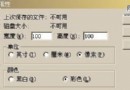
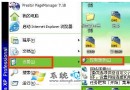
將 F 槽所有檔案移走後,屬性仍顯示已用空間數百 MB。
啟用「系統還原」的分區會在隱藏資料夾 System Volume Information 儲存還原點,佔用大量空間,且預設不顯示於總管。
Windows 用戶擺脫駭客攻擊完整對策 (3/3):安全軟體、木馬防範、郵件防詐、IE 進階設定
一步到位杜绝隐患十大修复法(下):总结十大修复清单,修好漏洞攻击者无靶可击
預裝 Vista 的電腦如何安裝 XP 並設定雙開機?關鍵:必須先有 Vista 再裝 XP,再修復 Vista 引導
Total Commander 進階技巧:快速建立完整檔案清單並匯出管理
Windows XP 無法重新安裝 IE?一行指令搞定強制重裝
虛擬記憶體不足四大成因與對策:設定不當、中毒、SYSTEM 權限、系統盤空間