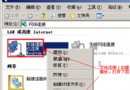
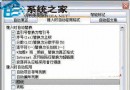
Windows XP 預設不允許直接重新安裝 Internet Explorer。若 IE 檔案損壞需重裝,可透過安裝光碟搭配命令列強制安裝:
rundll32.exe setupapi,InstallHinfSection DefaultInstall 132 C:\windows\inf\ie.inf※ 假設 Windows 安裝在 C:\windows,若非請自行修改路徑。
補充說明:此方法利用 setupapi 呼叫 ie.inf 安裝腳本,可修復 IE 核心元件損壞問題,避免重灌系統。
Windows Vista 系統碟空間不足?遷移離線檔案快取 (CSC) 釋放 C 槽空間
Windows XP 也能擁有 Vista Flip 3D 效果:WinFlip 綠色小工具
SFC 系統檔案檢查器完整參數解析:/scannow、/scanonce、/scanboot、/revert、/purgecache 實戰用法
Windows XP 鎖定螢幕三大模式完整對照:從傳統到快速使用者切換
輕鬆移除多重開機系統(二):C 槽系統移除重建、Linux/Windows 雙系統互刪完整指南
頑固軟體徹底移除六大絕招:QQ、Winamp、WinRAR、反間諜、MSI 工具、超級兔子