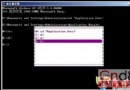
Windows Update 失敗,事件日誌報錯:
Background Intelligent Transfer Service 服務因下列錯誤而停止: 系統找不到指定的文件。
%windir%\System32\rundll32.exe setupapi,InstallHinfSection DefaultInstall 132 %windir%\inf\qmgr.inf
Reg add HKEY_LOCAL_MACHINE\SYSTEM\CurrentControlSet\Services\BITS\Parameters /v ServiceDll /t REG_EXPAND_SZ /d %windir%\System32\qmgr.dll
Reg add HKLM\SYSTEM\CurrentControlSet\Control\BackupRestore\FilesNotToBackup
regsvr32 oleaut32.dll
regsvr32 jscript.dll
regsvr32 vbscript.dll
regsvr32 msxml.dll
regsvr32 softpub.dll
regsvr32 wintrust.dll
regsvr32 initpki.dll
regsvr32 cryptdlg.dll
rd /s /q "C:\Documents and Settings\All Users\Application Data\Microsoft\Network\Downloader"
sfc /scannow
若以上均無效,備份數據後執行 XP 原地修復安裝(保留應用/設置)或重裝。
services.msc → Background Intelligent Transfer Service → 啟動類型「手動」→ 啟動 → 狀態「已啟動」
# 或
sc query bits
BITS(Background Intelligent Transfer Service)是 Windows 核心傳輸組件,負責 Windows Update、WSUS、MSI 自我修復、IE 文件下載等所有後台智能傳輸任務。服務損壞將導致系統無法自動更新、軟件安裝失敗。