登錄:
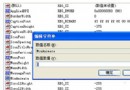
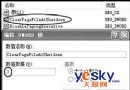
HKEY_LOCAL_MACHINE\Software\Microsoft\Internet Explorer\Main
HKEY_CURRENT_USER\Software\Microsoft\Internet Explorer\Main
刪除 Window Title 值,重開 IE 即恢復預設。
IE 設定可改回,但重開機又被改?執行 msconfig →「啟動」→ 取消可疑項(通常含該網址),重開機生效。
登錄:
HKEY_LOCAL_MACHINE\Software\Microsoft\Windows NT\CurrentVersion\Winlogon
刪除 LegalNoticeCaption、LegalNoticeText 兩值。
登錄:
HKEY_CURRENT_USER\Software\Policies\Microsoft\Internet Explorer\Control Panel
將 HomePage 設 0(1 為禁用)。或直接刪除整個 Internet Explorer 子鍵。
msconfig →「啟動」→ 找到該網址對應程式取消勾選,或用超級兔子等工具清理。
其餘 14 項包含:修復系統圖示、關閉錯誤回報、解決藍畫面、修復工作列、還原快速啟動列等,詳見原文。