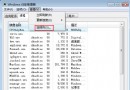
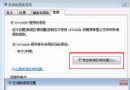
作者在 Celeron 2.4GHz、512MB RAM、GF 5200、10GB 分區的低階配置上,透過 9 大類優化手段,讓 Vista Beta 2 開啟特效後速度接近 XP。本文整理 37 項服務停用清單、視覺效果微調、註冊表關機加速、休眠關閉、頁面檔遷移等實測有效設定。
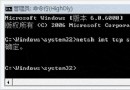
msconfig → 工具 → 停用 UACpowercfg -h off(需先禁用 UAC),節省等同記憶體大小的磁碟空間HKEY_LOCAL_MACHINE\SYSTEM\CurrentControlSet\Control\WaitToKillServiceTimeout 改為 2000-5000(預設 12000/20000)| # | 服務名稱 | 備註/保留條件 |
|---|---|---|
| 1 | Base Firewall Engine | 已裝第三方防火牆可停 |
| 2 | IPSEC Services | 不使用 IPSec 可停 |
| 3 | MPS SVC | 防火牆相關,同 1 |
| 4 | IP Helper | IPv6/ISATAP 隧道,純 IPv4 環境可停 |
| 5 | Network Access Protection Agent | 企業 NAP 環境才需 |
| 6 | Software Licensing Service | 授權驗證,建議保留 |
| 7 | Security Center | 第三方安全軟體可停 |
| 8 | System Restore Service | 已關閉系統還原可停 |
| 9 | UPnP Device Host | BT/PT 下載用戶請保留 |
| 10 | WinHTTP Web Proxy Auto-Discovery | 不使用 WPAD 可停 |
| 11 | Error Reporting Service | 錯誤回報,可停 |
| 12 | Tablet PC Input Service | 非平板電腦可停 |
| 13 | Certificate Propagation | 智慧卡環境才需 |
| 14 | CNG Key Isolation | 新一代加密 API,建議保留 |
| 15 | Computer Browser | 工作群組瀏覽,可停 |
| 16 | Diagnostic Policy Service | 診斷框架,可停 |
| 17 | Diagnostic System Host | 同 16 |
| 18 | Function Discovery Provider Host | 網路發現,可停 |
| 19 | Human Interface Device Access | 多媒體鍵盤/遙控器,可停 |
| 20 | Interactive Services Detection | 服務互動檢測,可停 |
| 21-23 | Media Center 相關服務 | 使用媒體中心請保留 |
| 24 | Print Spooler | 有印表機請保留 |
| 25 | Program Compatibility Assistant | 相容性助手,可停 |
| 26 | Protected Storage | 舊版加密儲存,可停 |
| 27 | Routing and Remote Access | 區域網路/ICS 環境請保留 |
| 28 | Security Center | 重複項,同 7 |
| 29 | Server | 檔案/印表機共享,需共享請保留 |
| 30 | Smart Card Removal Policy | 智慧卡環境才需 |
| 31 | Task Scheduler | 建議保留(排程任務核心) |
| 32 | Windows Defender | 第三方反惡意碼可停 |
| 33 | Windows Error Reporting | 同 11,可停 |
| 34 | Windows Event Log | 建議保留(系統稽核基礎) |
| 35 | Windows Search | 影響速度元兇,建議停用 |
| 36 | Windows Time | 有手機/手錶校時可停 |
| 37 | Windows Update | 測試版環境可停,正式版建議保留 |