| 錯誤代碼 | 主要原因 | 解決方案重點 |
|---|---|---|
| 51F / 52F | Office 2003 本機安裝來源 (LIS) 損毀 | 修復 Office 2003 安裝、重新註冊 OSE 服務 |
| 80070070 | 磁碟空間不足 | 清理 C 槽空間(磁碟清理、移動資料、擴充分區) |
| 80070002 / 80070003 | 暫存更新檔損毀/遺失 | 刪除 C:\Windows\SoftwareDistribution\Download 內容、重置更新元件 |
| 80070422 | Windows Update 服務未啟動/設定錯誤 | 服務管理員啟用 wuauserv、BITS、CryptSvc,設為自動 |
| 80070643 | Office Source Engine (OSE) 服務停用 | 啟動 OSE 服務、修復 Office |
| 80072ee2 / 80072efd | 防火牆阻擋 Windows Update 網址 | 防火牆例外加入 *.windowsupdate.com、*.update.microsoft.com、download.windowsupdate.com |
| 80072ee7 | Hosts 檔案有靜態 IP 導向 Windows Update | 編輯 C:\Windows\System32\drivers\etc\hosts 移除相關條目 |
| 8024001F | 無網路連線 | 檢查網路連線、Proxy 設定、DNS 解析 |
| 8024402C | IE 區域網路 (LAN) 設定非自動偵測 | IE → 網際網路選項 → 連線 → 區域網路設定 → 勾選「自動偵測設定」 |
| 80246007 / 80246008 | 背景智慧型傳輸服務 (BITS) 異常 | 重新啟動 BITS 服務、修復 BITS 檔案 (qmgr*.dat)、檢查事件檢視器 |
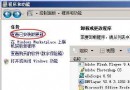
net stop wuauservnet stop bitsren C:\Windows\SoftwareDistribution SoftwareDistribution.oldnet start wuauservnet start bitssfc /scannow 修復系統檔案。在「開始」→「說明及支援」搜尋框輸入錯誤代碼 (如 80070002),可取得微軟官方完整說明與修復步驟。