在 Windows Vista 系統上安裝軟體時,若出現「無法存取 Windows Installer 服務」錯誤,通常是因為 msiserver 服務登錄項損毀或遺失導致。本文提供完整的登錄檔修復方案,透過匯入標準的 Windows Installer 服務登錄設定,快速恢復軟體安裝功能。
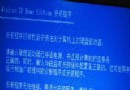
執行安裝程式(.msi 或 setup.exe)時彈出錯誤視窗:
「無法存取 Windows Installer 服務。如果您在安全模式下執行安裝程式,或是 Windows Installer 服務未正確安裝,就會發生這種情況。請連絡技術支援人員以取得協助。」
Vista 系統中 HKEY_LOCAL_MACHINE\SYSTEM\CurrentControlSet\Services\msiserver 登錄機碼損毀、遺失或權限異常,導致 Windows Installer 服務無法啟動。
將以下內容複製到記事本,儲存為 fix_msiserver.reg(注意副檔名為 .reg),雙擊匯入登錄表,完成後重新開機即可。
Windows Registry Editor Version 5.00

[HKEY_LOCAL_MACHINE\SYSTEM\CurrentControlSet\Services\msiserver]
"DisplayName"="@%SystemRoot%\\system32\\msimsg.dll,-27"
"ImagePath"=hex(2):25,00,73,00,79,00,73,00,74,00,65,00,6d,00,72,00,6f,00,6f,00,\
  74,00,25,00,5c,00,73,00,79,00,73,00,74,00,65,00,6d,00,33,00,32,00,5c,00,6d,\
  00,73,00,69,00,65,00,78,00,65,00,63,00,20,00,2f,00,56,00,00,00
"Description"="@%SystemRoot%\\system32\\msimsg.dll,-32"
"ObjectName"="LocalSystem"
"ErrorControl"=dword:00000001
"Start"=dword:00000003
"Type"=dword:00000010
"DependOnService"=hex(7):72,00,70,00,63,00,73,00,73,00,00,00,00,00
"ServiceSidType"=dword:00000001
"RequiredPrivileges"=hex(7):53,00,65,00,54,00,63,00,62,00,50,00,72,00,69,00,76,\
  00,69,00,6c,00,65,00,67,00,65,00,00,00,53,00,65,00,43,00,72,00,65,00,61,00,\
  74,00,65,00,50,00,61,00,67,00,65,00,66,00,69,00,6c,00,65,00,50,00,72,00,69,\
  00,76,00,69,00,6c,00,65,00,67,00,65,00,00,00,53,00,65,00,4c,00,6f,00,63,00,\
  6b,00,4d,00,65,00,6d,00,6f,00,72,00,79,00,50,00,72,00,69,00,76,00,69,00,6c,\
  00,65,00,67,00,65,00,00,00,53,00,65,00,49,00,6e,00,63,00,72,00,65,00,61,00,\
  73,00,65,00,42,00,61,00,73,00,65,00,50,00,72,00,69,00,6f,00,72,00,69,00,74,\
  00,79,00,50,00,72,00,69,00,76,00,69,00,6c,00,65,00,67,00,65,00,00,00,53,00,\
  65,00,43,00,72,00,65,00,61,00,74,00,65,00,50,00,65,00,72,00,6d,00,61,00,6e,\
  00,65,00,6e,00,74,00,50,00,72,00,69,00,76,00,69,00,6c,00,65,00,67,00,65,00,\
  00,00,53,00,65,00,41,00,75,00,64,00,69,00,74,00,50,00,72,00,69,00,76,00,69,\
  00,6c,00,65,00,67,00,65,00,00,00,53,00,65,00,53,00,65,00,63,00,75,00,72,00,\
  69,00,74,00,79,00,50,00,72,00,69,00,76,00,69,00,6c,00,65,00,67,00,65,00,00,\
  00,53,00,65,00,43,00,68,00,61,00,6e,00,67,00,65,00,4e,00,6f,00,74,00,69,00,\
  66,00,79,00,50,00,72,00,69,00,76,00,69,00,6c,00,65,00,67,00,65,00,00,00,53,\
  00,65,00,50,00,72,00,6f,00,66,00,69,00,6c,00,65,00,53,00,69,00,6e,00,67,00,\
  6c,00,65,00,50,00,72,00,6f,00,63,00,65,00,73,00,73,00,50,00,72,00,69,00,76,\
  00,69,00,6c,00,65,00,67,00,65,00,00,00,53,00,65,00,49,00,6d,00,70,00,65,00,\
  72,00,73,00,6f,00,6e,00,61,00,74,00,65,00,50,00,72,00,69,00,76,00,69,00,6c,\
  00,65,00,67,00,65,00,00,00,53,00,65,00,43,00,72,00,65,00,61,00,74,00,65,00,\
  47,00,6c,00,6f,00,62,00,61,00,6c,00,50,00,72,00,69,00,76,00,69,00,6c,00,65,\
  00,67,00,65,00,00,00,53,00,65,00,41,00,73,00,73,00,69,00,67,00,6e,00,50,00,\
  72,00,69,00,6d,00,61,00,72,00,79,00,54,00,6f,00,6b,00,65,00,6e,00,50,00,72,\
  00,69,00,76,00,69,00,6c,00,65,00,67,00,65,00,00,00,53,00,65,00,52,00,65,00,\
  73,00,74,00,6f,00,72,00,65,00,50,00,72,00,69,00,76,00,69,00,6c,00,65,00,67,\
  00,65,00,00,00,53,00,65,00,49,00,6e,00,63,00,72,00,65,00,61,00,73,00,65,00,\
  51,00,75,00,6f,00,74,00,61,00,50,00,72,00,69,00,76,00,69,00,6c,00,65,00,67,\
  00,65,00,00,00,53,00,65,00,53,00,68,00,75,00,74,00,64,00,6f,00,77,00,6e,00,\
  50,00,72,00,69,00,76,00,69,00,6c,00,65,00,67,00,65,00,00,00,53,00,65,00,54,\
  00,61,00,6b,00,65,00,4f,00,77,00,6e,00,65,00,72,00,73,00,68,00,69,00,70,00,\
  50,00,72,00,69,00,76,00,69,00,6c,00,65,00,67,00,65,00,00,00,53,00,65,00,4c,\
  00,6f,00,61,00,64,00,44,00,72,00,69,00,76,00,65,00,72,00,50,00,72,00,69,00,\
  00,00,00,00
"FailureActions"=hex:84,03,00,00,00,00,00,00,00,00,00,00,03,00,00,00,14,00,00,\
  00,01,00,00,00,c0,d4,01,00,01,00,00,00,e0,93,04,00,00,00,00,00,00,00,00,00

[HKEY_LOCAL_MACHINE\SYSTEM\CurrentControlSet\Services\msiserver\Enum]
"0"="Root\\LEGACY_MSISERVER\\0000"
"Count"=dword:00000001
"NextInstance"=dword:00000001
fix_msiserver.reg,存放在桌面。msiexec /unregister 後再執行 msiexec /regserver 重新註冊服務。sfc /scannow 修復系統檔案。修改登錄表有風險,建議操作前備份登錄或建立系統還原點。本登錄檔適用於 Windows Vista(含 SP1/SP2),其他版本 Windows 需確認機碼路徑相容性。