Windows XP Windows 7 Windows 2003 Windows Vista Windows 綜合教學 Linux 系統教學
Windows 10 Windows 8 Windows 2008 Windows NT Windows Server 電腦軟體教學

Windows Vista 實用小技巧:BCD 啟動項備份/重命名/超時、啟用 Administrator、關閉休眠、註冊表清理

編輯:Windows Vista 教學

1. BCD 啟動項管理

備份/還原 BCD

備份: bcdedit /export "X:\path\bcd"
還原: bcdedit /import "X:\path\bcd"

BCD 檔案位於 C:\Boot\BCD。

修改選單顯示名稱

XP 項目: bcdedit /set {ntldr} Description "Windows XP SP2 Professional"
Vista 項目: bcdedit /set {current} Description "Windows Vista 5456 Ultimate"

修改選單等待時間

bcdedit /timeout 10  (單位:秒)

2. 啟用內建 Administrator 帳號

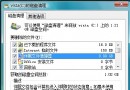
  1. 右鍵「電腦」→「管理」→ 「本機使用者和群組」→「使用者」。
  2. 右鍵 Administrator → 「內容」→ 取消勾選「帳號已停用」→ 確定。
  3. 再次右鍵 Administrator → 「設定密碼」→ 指定密碼。
  4. 登出,以 Administrator 登入(重啟後生效)。可選擇重新命名帳號。

3. 關閉休眠功能(釋放 hiberfil.sys 空間)

  1. 開始搜尋列輸入 cmd。
  2. 右鍵 cmd.exe → 「以系統管理員身分執行」。
  3. 輸入 powercfg -h off 並執行。

4. 註冊表清理

使用系統工具或第三方優化軟體(如 Vista 優化大師)執行「清理註冊表」,等待完成即可。

Copyright © Windows教程網 All Rights Reserved