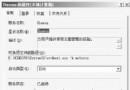
Windows Server 2003 內建網路連線功能,無需第三方撥號軟體(如 WinPoET、EnterNet、RASPPPOE)即可直接建立 ADSL 連線。
完成後即可透過此連線直接上網。
Windows 2000 登入畫面客製化:背景、版本資訊、提示訊息、自動登入與安全性設定
Windows 2000/XP 進程工作集深度解析:MMSUPPORT 結構、MMWSL 哈希表與 WinDbg 除錯實戰
Windows 2000 也能玩程式相容模式:Application Compatibility Tool 使用指南
Windows 2000 虛擬記憶體 (分頁檔) 完整優化指南
Internet Explorer 5.0 功能增強全景:完整儲存、同步、收藏夾管理、Wallet、離線瀏覽、Outlook 整合、多媒體、發布精靈、多語系
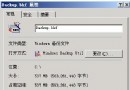
Windows 自動系統復原 (ASR) 完整操作流程與注意事項
Windows Server 2008 Server Core 部署與管理實戰攻略
Windows Server 2003 下 ASP 程式除錯常見錯誤與解決方案:瀏覽器顯示詳細錯誤、Access 連線問題